calendar
Published on March 16, 2024

Which AI Grading Tool Is The One For You? Here's The Top 10

Compare AI grading tools that provide instant feedback, support rubrics, and integrate with LMS for educators and trainers.

Carolina Martin
Carolina Martin
Customer Success Lead & Learning Designer
Which AI Grading Tool Is The One For You? Here's The Top 10
AI Grading

Mark assessments in seconds with fast, accurate AI grading.

The last time I graded 40 short-answer submissions by hand, I didn't notice what had happened until I reached submission 34. I noticed that my scores had drifted.

I'd started the batch with a tight rubric:. There were four criteria, a 0-3 scale and explicit language for each performance level. By submission 34, I was rewarding effort in ways I hadn't been at the start. I went back to re-grade the first twelve. It took another ninety minutes, and I was still not confident the corrected scores were more consistent than the original ones.

I care about AI grading tools because of such sessions, and not simply because they save time. I want to know whether a tool keeps scoring consistently across a full batch, across multiple assessors marking the same cohort, and across the gap between when a rubric is built and when it's actually applied. Those are the problems that break compliance training evaluations and certification assessments in corporate L&D, and they're different from the K-12 essay-grading problems most articles on this subject are written around. I'm writing for the instructional designers and L&D teams who spend real time managing those assessment workflows, not for classroom teachers grading homework.

I've organised this list around a distinction that affects every tool decision in this category: the difference between a standalone grading tool, a grading feature inside a broader teacher toolkit, and grading embedded in a full course creation and LMS platform. If the grading problem is separable from the course-building problem, a standalone tool is the right answer. If it isn't, you're probably evaluating the wrong category.

Understanding AI grading complexity

Before the tool reviews, a frame that separates what each tool can actually do from what its marketing claims:

  • Level 1: MCQs, true/false, fill-in-the-blank. Rules-based answer matching; no AI judgement required. These are very basic.
  • Level 2: Short answers scored against a rubric. The AI interprets intent and awards partial credit. I have seen plenty of these as well.
  • Level 3: Essays, reflections, long-form responses. The AI assesses argument structure, criterion coverage and writing coherence. Things get more intriguing from this level.
  • Level 4: Multi-component submissions, learner-specific coaching notes and qualitative feedback generation. This is the creme de la creme of AI grading tools.

Most tools market Level 4. The evidence usually only supports Level 1 or Level 2. I'll say where each tool's ceiling actually sits.

1. Gradescope

[Gradescope](https://www.gradescope.com){rel="nofollow"} homepage

I'd name the feature that separates Gradescope from every other tool in this category before anything else, because it has nothing to do with AI generation speed. It's retroactive rubric updates. When a rubric needs recalibration mid-batch, Gradescope propagates that change back across all already-graded submissions automatically. This saves us from the hassle of regrading eveyrhting again.

I've been in my fair share of calibration meetings with L&D managers to know how often rubric finalisation slips behind the marking timeline. In any platform without retroactive rubric support, that's a reconciliation job that erases the time saving. In Gradescope, it's a two-minute rubric edit.

I'd put the platform at Level 2 reliably, with genuine Level 3 reach on structured essay types. I've used the AI-powered answer grouping feature on institutional tiers to batch-grade similar responses in one action rather than marking each submission individually. I find it most useful on assessments where a small number of answer patterns accounts for most of the cohort: classify the exemplar response, and that classification applies to every similar response in the batch.

The interface has real friction, though. I notice it most in the rubric navigation: sections collapse by default, requiring constant expand-collapse cycles during a marking session. I've timed it on a ten-criterion rubric across 200 submissions: roughly eight seconds per submission on panel navigation alone, with no grading judgement involved. I've tried every keyboard shortcut listed and they reduce the problem without solving the underlying panel architecture. I'd describe the UX as adequate for higher education, where graders invest time learning the system over a semester, and uncomfortable for a one-person L&D team managing three concurrent programmes in a busy week.

I'd flag the pricing model as unusual for corporate environments: per-student-per-course rather than per-seat. As of May 2026, the Basic free plan covers dynamic rubrics, question-by-question grading and assignment statistics. Complete (Team) runs to $5 per student per course. Enterprise is custom, priced through Turnitin, which owns Gradescope.

I'd put Gradescope first for departments with multiple assessors grading the same assignments. It's the strongest multi-assessor consistency tool in this category, and the retroactive rubric update alone justifies it for any multi-instructor deployment. Anyone who also needs to create rubrics from standards templates should look at MagicSchool AI first, since rubric-building is not a strength here.

Grading complexity ceiling: Level 2 reliably; Level 3 on structured essay types.

[Gradescope](https://www.gradescope.com){rel="nofollow"} pricing

2. CoGrader

[CoGrader](https://cograder.com){rel="nofollow"} homepage

To put it bluntly: this is a K-12 essay grading specialist. I'd say the design assumptions are K-12 ELA from end to end. If you're evaluating AI grading tools for a corporate training programme, an adult-education cohort or an L&D certification pathway, CoGrader is not the right fit.

Within its intended scope, I'd call the score rationale feature the defining differentiator. Before grades are released to students, teachers can review exactly why the AI assigned a score at each rubric criterion level. I've described this to L&D managers as "auditability before release": the assessor sees the AI's reasoning, adjusts or overrides it, and only then sends results to the learner. I haven't seen this pre-release transparency in any other tool on this list. It's also the feature that makes AI-assisted grading politically viable in schools where parents and administrators will question a result.

I've feel the platfomr's standards integration is thorough. Pre-loaded frameworks cover CCSS, TEKS, AP, IB and Cambridge A-levels. Teachers can import their own rubric, choose from the library or ask CoGrader to generate one against a standard. I've found grading accuracy holds up well on analytical writing and factual recall within K-12 frameworks. I've seen it struggle on domain-specific professional content outside those frameworks, which is part of why I wouldn't use it for corporate training.

The free Starter plan covers 100 student submissions per month. Standard is $15/month for 350 submissions, Google Classroom integration and handwritten submission support. Schools and Districts adds AI plagiarism detection, Canvas and Schoology integration and institution-wide analytics. The entire pricing structure signals K-12 and secondary education as the core market.

Skip CoGrader for any course involving coding, problem sets or domain-specific professional assessment outside K-12 English/ELA.

Grading complexity ceiling: Level 3 reliably on K-12 essay types; degrades outside K-12 ELA frameworks.

3. EssayGrader.ai

[EssayGrader.ai](https://www.essaygrader.ai){rel="nofollow"} homepage

I'd name EssayGrader.ai's pricing structure as the clearest of any specialist grading tool I've evaluated in this category. Free plan: 50 essays per month, 1,000-word limit, FERPA and COPPA compliant. Lite is $6.99/month for 100 submissions and adds Google Classroom and Canvas integration. Pro is $14.99/month for 350 submissions, adds AI-writing detection, plagiarism detection, a 3,500-word limit and access to over 500 pre-aligned rubrics. Premium is $34.99/month for 800 submissions with automatic detection and instant chat support.

If you're a teacher outside the US market, EssayGrader's standards coverage is the widest in this list: CCSS, AP LEQ, IB, Texas STAAR, Florida B.E.S.T. and Australian curriculum standards are all supported at the Pro tier. I'd specifically recommend it to Australian and UK-based educators who've found other platforms too US-centric in their default rubric libraries.

I'd place the Writing Intelligence Layer in the Pro plan as a genuine capability step toward Level 3: coherence, argument structure and criterion-level feedback beyond grammar and content. I'd call it a meaningful improvement over the Lite tier for essays at secondary level and above.

I'll name the limitation directly: EssayGrader grades against rubrics you bring to it. CoGrader generates rubrics against standards; MagicSchool AI builds them from scratch. I'd place EssayGrader's role in a workflow after you already have a rubric, not before.

I've found that anyone running a real marking workflow ends up at the Pro tier anyway. The free and Lite tiers are fine for individual exploratory use, but the actual grading depth starts at $14.99/month, so keep that in mind for your budget.

Grading complexity ceiling: Level 2 on most essay types; Level 3 with the Writing Intelligence Layer at Pro tier.

[EssayGrader.ai](https://www.essaygrader.ai){rel="nofollow"} pricing

4. MagicSchool AI

[MagicSchool AI](https://www.magicschool.ai){rel="nofollow"} homepage

I'd reach for MagicSchool AI before any dedicated grading tool if you haven't built your rubric yet. The workflow it enables is distinct from CoGrader and EssayGrader: create the rubric using the Rubric Generator, then route graded work through Class Writing Feedback, which uses that rubric to produce AI-suggested comments. You build the assessment criteria and run the assessment inside the same platform.

I'd call the outcome data MagicSchool cites the strongest in this list. A 28% improvement in students meeting literacy grade-level expectations is the only learner-outcome metric any vendor in this category leads with. Every other tool leads with time savings. I can't independently verify the methodology, but the figure comes from two million educators across 160+ countries, and 94% of users report meaningful time reduction. I'd find the directional claim hard to dismiss at that scale.

I'd note the privacy compliance as genuinely relevant for training contexts: SOC 2 Type II certified, FERPA, COPPA and GDPR compliant. That's the strongest compliance posture of the K-12-focused tools on this list.

Two limitations I'd name before you commit. The knowledge base has a 2021 cutoff, which introduces accuracy risk for curriculum frameworks updated since then. I've also watched L&D teams try to adapt the Rubric Generator for corporate compliance assessment frameworks and waste their time reformatting the output than building the rubric manually. The design assumptions are clearly K-12; they show when you push the tool outside that context.

I'd start with the Rubric Generator on the free plan before evaluating any specialist grading tool. Free plan covers the Rubric Generator and 80+ tools. Plus is $8.33/month billed annually for unlimited generations. Enterprise is custom with Canvas, Schoology and SIS integrations. If the free tier produces a usable rubric for your assessment type, you may not need a separate grading subscription.

Grading complexity ceiling: Level 3 on writing and reflection types; teacher validation required before release.

5. Turnitin

[Turnitin](https://www.turnitin.com){rel="nofollow"} homepage

I wouldn't put Turnitin in a standalone grading category, but it belongs in this list because its AI detection capabilities now sit alongside grading feedback in a single submission pipeline. Its core function is academic integrity: plagiarism detection calibrated on academic text for over two decades, now extended to AI-writing detection across submitted work.

If the assessment environment has a significant AI-writing concern, Turnitin handles plagiarism detection, AI detection and grading feedback in one workflow. This can be vital for universities and schools where academic integrity is built into the marking process rather than run as a separate step. .

I wouldn't recommend Turnitin to an individual teacher or small training provider. The tool is sold institutionally, through LMS contracts and IT procurement, at prices that assume dedicated implementation resource. Without an IT team and an LMS integration pathway, I'd look at CoGrader or EssayGrader instead.

Grading complexity ceiling: Level 2; AI detection operates on submitted text regardless of assessment complexity.

6. GPTZero

GPTZero's positioning is AI detection built into the grading workflow by default, not as a separate step. The claim is "the only AI grader that checks submissions for AI and plagiarism by default": detection runs before grading. If you want that combined workflow in a tool accessible to individual teachers rather than institutional procurement teams, GPTZero is worth evaluating.

I'm more cautious about the performance claims that their marketing suggests. I'd treat the "most accurate AI detector per independent benchmarks" language with scepticism, because it appears in GPTZero's own content rather than in third-party evaluations I'd trust as independent.

The time-saving figure of 8+ hours per week sits in the same category as most vendor claims in this space. GPTZero's actual differentiator is the AI-detection-first architecture, not its grading accuracy relative to CoGrader or EssayGrader. The performance claims rest primarily on self-reported data, which is a red flag worth factoring into any purchasing decision.

Grading complexity ceiling: Level 2 on structured written response; Level 1 on objective assessments.

7. Kangaroos AI

[Kangaroos AI](https://www.kangaroos.ai){rel="nofollow"} homepage

We Aussies love Kangaroos! Jokes aside, I've seen Kangaroo AI appear in comprehensive grading tool reviews with multilingual support and high-volume bulk upload as its main differentiators, and those claims are consistent across independent sources.

For L&D teams running training programmes across multiple language markets, Kangaroos AI is the only specialist grading tool in the current SERP with multilingual support as a core positioning element rather than an add-on. I'd describe it as a grading specialist with multilingual reach: if the core requirement is grading written submissions in multiple languages from a single cohort, the tools higher in this list can't handle that cleanly.

Grading complexity ceiling: Level 2 per available SERP evidence.

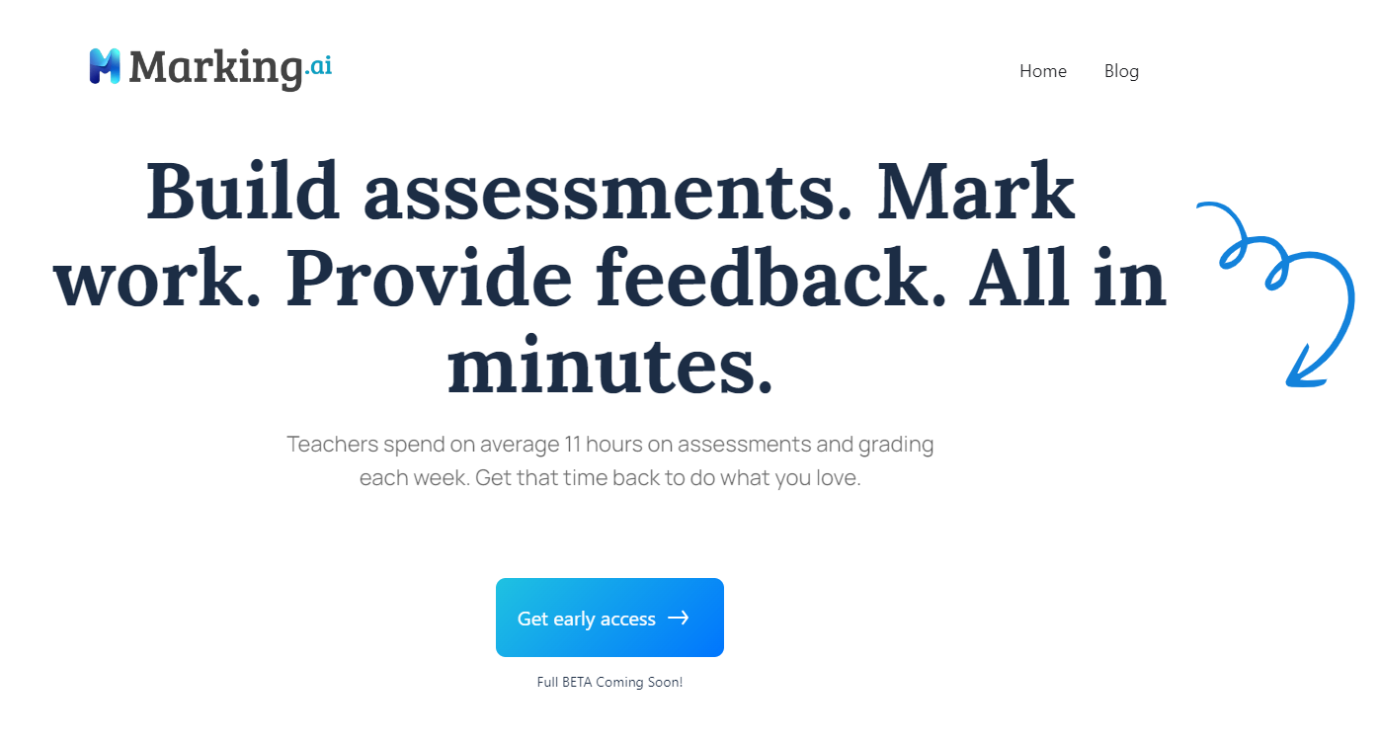
8. Marking.ai

[Marking.ai](https://marking.ai){rel="nofollow"} homepage

I notice Marking.ai's design priority clearly: it leads with per-learner performance insights where every other tool leads with "grade faster." The platform surfaces class-level patterns, competency visibility and analytics that go beyond a pass/fail result.

This fills a gap the other tools leave open. I'd name the limitation as the inverse of the value: if the primary need is clearing a marking backlog in an afternoon, Marking.ai's architecture is optimised for something else. The platform produces grades, but the design is built for understanding performance patterns across a cohort over time.

I don't have pricing or integration details for Marking.ai from publicly available sources. Marking.ai is the analytics-first tool in this category, and the right choice when cohort performance visibility matters more than marking speed.

Grading complexity ceiling: Not verifiable from available evidence; the analytics depth suggests Level 3 capability.

[Marking.ai](https://marking.ai){rel="nofollow"} pricing

9. Coursebox

[Coursebox](https://www.coursebox.ai){rel="nofollow"} homepage

I should name the conflict of interest directly: Coursebox is the platform we make. I've included it because it's the only tool in this SERP where AI grading is part of a full course-creation and LMS workflow rather than a standalone product, and I've seen people excited in my live demos for the same.

I'd also say clearly that Coursebox's grading features are not the strongest on this list for pure essay-grading throughput. If you're a K-12 teacher grading 300 essays a week, CoGrader will serve you better. Coursebox is the right choice when the grading problem isn't separable from the course-building problem.

Let me give you some data for more context. Of 334 Coursebox users who generated AI assessments in the last 90 days, 266 (80%) also used AI course generation. Only 68 used AI assessment generation as a standalone capability with no course-creation activity. The dominant workflow is assessment-inside-a-course, not assessment as a separate tool purchase. That pattern is exactly what Coursebox's grading features are designed for: L&D teams building a training programme, not teams receiving submissions from outside their own platform.

I've spent countless hours inside the AI grading feature and it grades open-answer questions against marking rubrics you create or import, generates instant feedback and delivers results through the built-in LMS. I'd put it at Level 2 reliably, with Level 3 reach when the rubric is detailed and the assessor reviews output before release. I'd also call the 100+ language support for grading feedback the widest coverage in this SERP: it's the only tool on this list where grading feedback can be delivered in over 100 languages, which can be crucial for L&D teams running global AI quiz generators and assessment programmes across multiple regions.

SCORM 1.2 and SCORM 2004 export means graded assessments are portable to any enterprise LMS. LTI integration handles grade passback without CSV exports, so assessors working in Canvas or Moodle don't need to manually re-enter results.

[Coursebox](https://www.coursebox.ai){rel="nofollow"} pricing

Pricing: free plan covers three mini-courses. Creator tier onwards for paid plans; exact prices weren't fully rendered in the source scrape, so check the pricing page directly. Business tier includes API access; Enterprise is custom with 50 admin licences and SSO.

If you're building corporate training programmes and need grading embedded in the course rather than managed as a separate tool, Coursebox is the practical choice. If you're running a standalone essay-grading operation, CoGrader or EssayGrader will serve you better.

Grading complexity ceiling: Level 2 reliably on open-answer; Level 3 with detailed rubric and assessor review.

10. ChatGPT

[ChatGPT](https://chat.openai.com){rel="nofollow"} homepage

I used to think ChatGPT was good enough for rubric drafting before I compared it directly against dedicated tools. It isn't, at least not for the kind of rubric grounding that produces consistent scores across a full batch. The problem isn't a single rubric output. I can prompt GPT-5.5 to produce a four-criterion rubric for a professional development reflection assignment and the result is workable. The problem is that criterion language from a general-purpose LLM isn't specific enough to anchor judgements consistently when different assessors apply it, or when the same assessor applies it on different days.

ChatGPT has no native grading workflow: no submission batch upload, no rubric application layer, no grade passback to any LMS. The result is a starting framework to apply manually. Add the manual grading time back in and the "free AI grading" framing dissolves.

The free tier is capped at ten messages per five-hour window on GPT-5.3. Plus is $20/month for GPT-5.5 with 128K context, which is genuinely useful for grading long-form submissions where you want the full document in context. Business is $25/month billed annually and adds SAML SSO and conversations excluded from training by default, which matters if learner submissions contain personal data.

The time it costs to prompt, review and manually apply the output is the real price of using a free general-purpose tool in a workflow that specialist tools were built to handle.

Grading complexity ceiling: Level 1 reliably; Level 2 with careful prompting and human review.

What I would actually pick

I want to name the mistakes worth avoiding in this category before getting to tool recommendations.

I'd start here: don't evaluate standalone grading tools if your assessments are built and delivered inside an LMS. There's no point in spending three weeks comparing CoGrader and EssayGrader for a workflow where submissions were generated inside a Moodle course and needed to return to the same gradebook. Both tools would have required CSV exports and manual re-entry. I'd check the LMS's own grading features before adding another tool to the stack.

I'd avoid using a K-12-specific tool for adult or corporate assessment contexts. CoGrader and MagicSchool AI are well-designed for the audience they were built for. That audience is K-12 classrooms. Training managers might trial CoGrader on their own submissions, find the accuracy impressive, then discover the tool doesn't support their actual assessment types at scale — particularly for compliance assessments and professional certification submissions where domain-specific terminology is outside CoGrader's K-12 framework coverage.

I'd also avoid committing to an institutional platform, Turnitin included, without IT and LMS support in place. Institutional grading tools require institutional infrastructure. An L&D manager with a subscription and no implementation resource is going to spend the first month on integration, not grading.

I wouldn't rely on GPTZero or Marking.ai as primary grading tools without independent accuracy and reliability data from your own assessment types. Both are worth watching; neither has the independent track record of Gradescope or CoGrader in this space.

Disclosure: Coursebox is the AI training platform we make. I've placed it at position nine in this list and named its runtime reliability issue directly, because an honest account is more useful than a favourable one. The other tools were evaluated using publicly available product information, SERP-observed positioning and per-tool research data from G2, Capterra and third-party review sources where available.
What is an AI grading tool?

It’s software that uses artificial intelligence to automatically assess student assignments, quizzes, and essays. These tools provide instant feedback and reduce manual grading workload.

Do AI tools replace teachers?

No. They support educators by automating repetitive tasks. Human judgment is still crucial, especially for nuanced feedback and complex assessments.

How do I choose the right AI grading tool?

Look for:

  • High grading accuracy
  • Customisation options
  • LMS integration
  • Cost-effectiveness

Coursebox offers all of the above, plus quiz generation, AI chatbots, and full course-building capabilities.

Do these tools work with Google Classroom or Moodle?

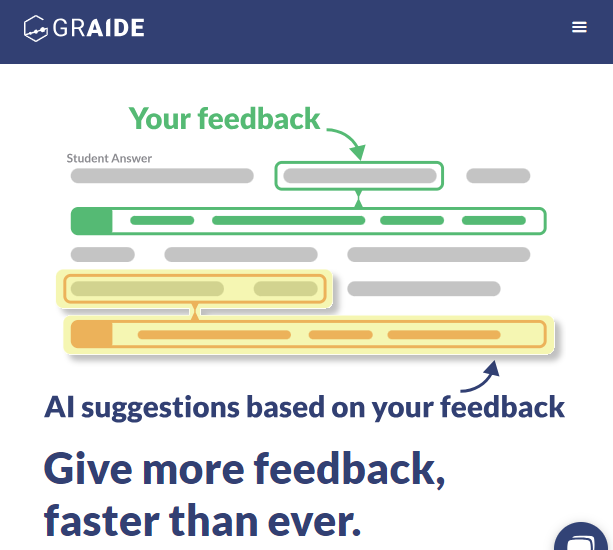
Yes. Tools like Coursebox, CoGrader, and Graide integrate with platforms like Google Classroom, Moodle, and Blackboard, making them easy to implement.

Are there free options available?

Yes. Several tools, including Coursebox, offer free plans so you can test before committing. It’s a low-risk way to explore AI grading.

Why is Coursebox a standout option?

Coursebox goes beyond grading—it helps you build courses, generate quizzes automatically, and engage students with AI-powered chatbots, all in one user-friendly platform.

Carolina Martin

Carolina Martin

Customer Success Lead & Learning Designer

Customer success lead and learning designer at Coursebox AI