

10 Learning Experience Platforms (LXPs) I’d Compare in 2026
Compare ten learning experience platforms for discovering content, building skills, managing learning budgets and creating training, with practical rollout and pricing checks.

The best learning experience platforms in 2026 include Degreed for skills-led discovery, Juno and Learnerbly for development and learning budgets, Coursebox for creating and delivering supported learning, and 360Learning for expert collaboration.
- LinkedIn Learning and Udemy Business are content-led options. Learn Amp combines learning and development management, LemonadeLXP specialises in financial services, and Absorb Infuse embeds learning in other applications.
- LMS and LXP capabilities overlap. Compare the missing workflow rather than assume a recommendation feed replaces assignments, assessment or compliance records.
- Separate platform seats, content licences, learning budgets, implementation and optional modules. A connected resource is not necessarily included in the subscription.
- Test one role-specific journey from finding learning to applying it. Give managers evidence and a follow-up action, not only a completion count.
Compare four starting options through three preferences. The full ten-platform list also covers content libraries, development planning and specialist delivery.

Personalise learning pathways at scale
A learning experience platform should make the next useful learning step easier to find. That sounds simple until your team has courses in one system, company knowledge in another and development plans in a spreadsheet. Adding another catalogue does not automatically join them up.
I co-founded Coursebox, which is included here. I compare these platforms by the part of that problem they solve: finding relevant content, creating internal training, supporting learners, building skills or managing a learning budget. Several products combine those jobs, but their costs and rollout work are different.
If the missing piece is your own training content, an AI learning management system can combine creation, assessments, learner support and delivery. If the material already exists across several libraries, aggregation and access may deserve more weight. The entries below cover both situations.
How I compare learning experience platforms
I reviewed current product documentation, pricing and the learning workflow each platform is designed to support. I look beyond the homepage feed: what the learner can do, what the team must prepare and what useful evidence comes back.
- Finding learning: Compare internal resources, external libraries, search, recommendations and access permissions.
- Creating and applying it: Check authoring, assessments, practice, learner support and the next step after a recommendation.
- Skills and development: Establish how a skill is recorded and updated. Course completion and demonstrated proficiency are different evidence.
- Running the programme: Test manager visibility, content ownership, reporting and the connection to existing LMS or HR systems.
- Complete cost: Separate platform seats, learning budgets, content subscriptions, implementation and optional modules.
The 10 learning experience platforms at a glance
| Platform | Main workflow | Best starting point | Cost to include |
|---|---|---|---|
| Degreed | Skills-led content discovery and pathways | An enterprise bringing internal and external learning around a shared skills framework. | Custom quote; content and implementation scope |
| Juno Journey | Learning journeys, development plans and budgets | Teams connecting learning discovery, personal development plans and a learning wallet. | Growth from $5/seat/mo at displayed 200-person band |
| Learnerbly | Learning marketplace, budgets and requests | People teams giving employees a controlled budget for varied external learning. | Annual licences plus learning spend and applicable fees |
| Coursebox | AI courses, assessments, tutor support and LMS delivery | Teams that need to create useful learning and support people through it. | Free mini-courses; paid capacity and LMS features |
| 360Learning | Collaborative authoring, recommendations and delivery | Organisations using subject experts to create and update learning together. | Team $8/user/mo to 100 users; larger packages quoted |
| LinkedIn Learning | Professional course library and career development | Teams seeking a curated professional-content library and career-oriented learning. | Individual, team and organisation offers differ |
| Udemy Business | Curated business catalogue and skills practice | Teams buying broad business and technical learning with plan-specific practice tools. | Team 2-50 people; Enterprise quote and add-ons |
| Learn Amp | LMS, content hub and people-development tools | Organisations joining learning delivery, knowledge sharing and development conversations. | User-band packages; optional modules and contract scope |
| LemonadeLXP | Financial-services learning and digital adoption | Banks and credit unions connecting product knowledge with frontline practice. | Current provider-specific quote |
| Absorb LMS with Infuse | Managed LMS with embedded learning through Infuse | Organisations surfacing managed training inside another business application. | LMS, Infuse and implementation scope by quote |
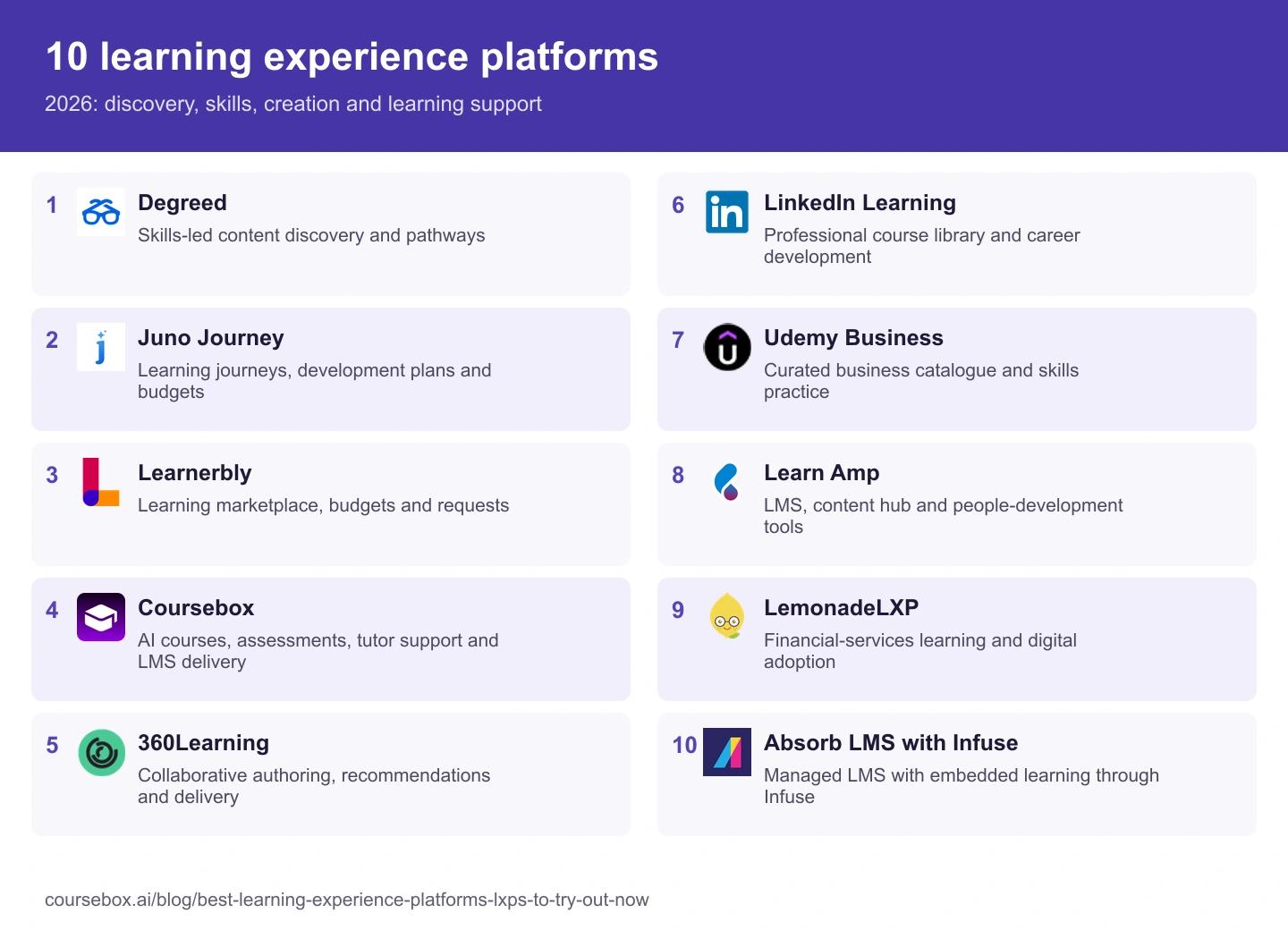
The 10 learning experience platforms I would shortlist
1. Degreed

Best for: An enterprise bringing internal and external learning around a shared skills framework.
Degreed brings learning from different sources into a shared experience, with skills profiles, recommendations and curated pathways. It is relevant when employees already have access to several learning systems but struggle to find the next useful resource. The comparison is less about replacing every course library and more about making the collection work together.
My starting point: Choose one role and a small set of skills, then trace how a learner’s profile leads to a recommendation and what evidence updates it afterwards. A clicked resource and a demonstrated skill are different records. Agree who owns the skill labels and keeps content mapped to them.
My take: A serious shortlist for a skills-led enterprise rollout, provided the organisation can maintain the framework and connections. If the immediate problem is creating a few company-specific courses, establish whether another platform would solve that more directly.
Pricing: Request a quote separating the platform, learning content, implementation, integrations and any additional skills or development products. Aggregating a library does not automatically include the right to use every resource in it.
2. Juno Journey

Best for: Teams connecting learning discovery, personal development plans and a learning wallet.
Juno’s Growth offer combines personalised learning journeys, channels and playlists with development plans, coaching and a learning wallet. That connects finding a resource with agreeing a development goal and controlling the spend. Juno Training is a separate core offer for managed learning, authoring and delivery.
What I would inspect: Follow a development goal through a resource request, approval, purchase and recorded activity. The wallet is useful only if the manager and learner understand what is available, who approves it and what happens to unused funds. Include an employee joining or changing roles in the demonstration.
My take: A useful comparison when development planning and discretionary learning sit in separate spreadsheets today. Choose Growth, Training or both from the actual workflow, rather than assume the LXP label includes every LMS function.
Pricing: The public US pricing view displays Growth at $5 per seat per month for a 200-person team, with Training separately priced and add-ons listed. Confirm the selected headcount, billing term, content spend, implementation and combined-core quote.
3. Learnerbly

Best for: People teams giving employees a controlled budget for varied external learning.
Learnerbly organises a marketplace spanning courses, books, coaching, events and subscriptions. Employees use personal learning budgets, while the People team manages requests, approvals and spend. That is a different purchase from a single video library or a platform chosen mainly to deliver compulsory internal courses.
My workflow check: Ask for one normal catalogue purchase and one request for a resource outside the catalogue. Check approval rules, fulfilment, refunds and what returns to the learning record. A purchased book and a completed assessed course should not be presented as equivalent evidence.
My take: A useful shortlist when choice is part of the development offer and purchasing administration is the bottleneck. You may still need an LMS or assessment workflow for mandatory training and reliable completion evidence.
Pricing: User licences are billed annually in advance, with added seats prorated under the published help guidance. Learning budgets are additional spend; confirm applicable processing fees, currency, fulfilment terms and support in the agreement.
4. Coursebox
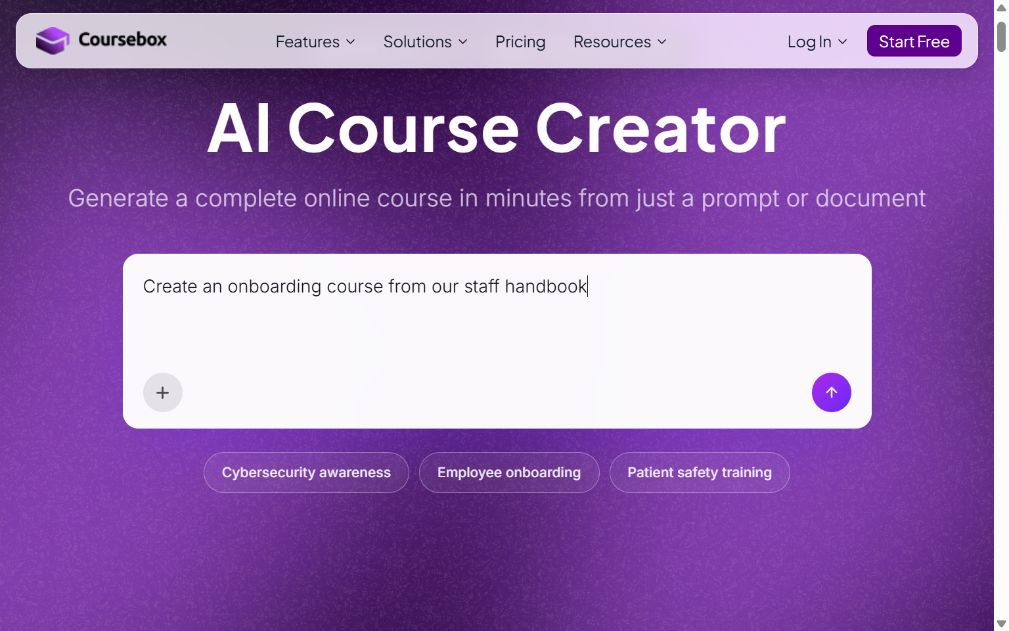
Best for: Teams that need to create useful learning and support people through it.
Coursebox combines AI course creation, assessments, an AI tutor and learning delivery. Start from company documents or a topic, review the generated lessons and questions, then give learners help grounded in the material. A branded LMS, groups, pathways, reporting and eligible exports connect that experience to the training operation.
Where I start: Find a company-specific task employees repeatedly ask about. Build the learning around the approved material, check the assessment and try the tutor’s answers against the source. That connects discovery with a useful learning experience instead of adding another external resource to a long catalogue.
My take: Relevant when producing and maintaining internal learning is the main gap. Compare the broader experience, including learner help and assessment records, without treating it as interchangeable with an enterprise-wide skills marketplace. The required content connections and skill-mapping workflow should be demonstrated.
Pricing: Free includes three mini-courses of up to five pages each, unlimited learners, defined AI allowances and a Coursebox watermark. Paid capacity, branded LMS, exports and integrations depend on the plan. Choose the learner experience and administration you need, then size the authoring and AI capacity rather than budget from employee count alone.
5. 360Learning

Best for: Organisations using subject experts to create and update learning together.
360Learning combines collaborative course creation with LMS delivery, recommendations and skills-oriented learning features. Experts can contribute to training and learners can respond to the material, helping the team identify where it needs an update. It can also use external content; choosing collaboration does not rule out a course library.
My review priority: Follow a learner question back to the person responsible for the course. Can the expert review it, change the lesson and see whether the problem stops recurring? The process needs named owners and time to contribute, not just a co-authoring button.
My take: A good comparison when useful knowledge sits with colleagues and changes often. Establish the external-content, skills and administration scope as well as authoring, especially if the LXP will serve several audiences.
Pricing: Team is US$8 per user per month for up to 100 users. Business and Enterprise use quotes and can combine registered and monthly-active user models. Confirm included skills functions, integrations, support and content subscriptions.
6. LinkedIn Learning

Best for: Teams seeking a curated professional-content library and career-oriented learning.
LinkedIn Learning provides professional courses, learning paths and career-oriented learning tools. Its business offering connects recommended learning with skills and organisational priorities, with AI coaching and practice features depending on the package. It is relevant when the content your employees need is largely available from an established external library.
What I compare: Search for one role-specific skill, inspect the level and language of the resources, and complete an activity that needs application. Then check the manager’s view and LMS connection. A familiar brand and a large catalogue do not show whether the particular course is suitable for the team.
My take: A strong content-library comparison, especially for professional development across several disciplines. Company procedures, product-specific work and local assessment may need content created elsewhere and a clear record handover.
Pricing: Individual subscriptions and team or enterprise access have different terms. Obtain the relevant business quote with seats, languages, integrations, coaching and reporting included. Do not use an individual subscription price as an organisation-wide deployment estimate.
7. Udemy Business
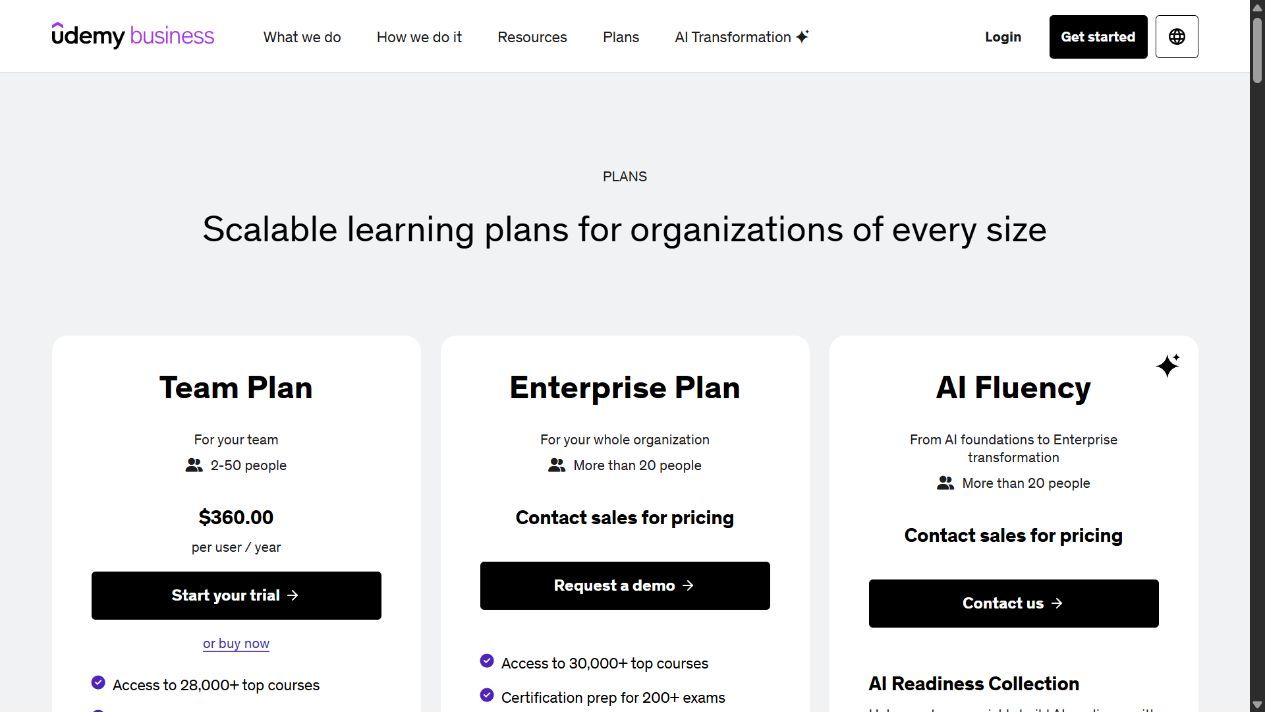
Best for: Teams buying broad business and technical learning with plan-specific practice tools.
Udemy Business offers a curated subscription catalogue, distinct from buying individual courses in Udemy’s public marketplace. Business and technical subjects sit alongside plan-specific assessments, AI practice and learning paths. Larger offers can add hands-on labs and other specialised collections.
My selection check: Inspect the actual course and practice exercise for a skill the team uses, including recency, language and assumed knowledge. Then check which package includes it. A course visible in the public marketplace is not automatically part of the company subscription.
My take: Useful when ready-made learning can cover a meaningful part of the development plan. Build a pathway with time to practise and apply the skill; catalogue access by itself is not a training programme. Company-specific instruction may still need separate authoring or a supported custom-content feature.
Pricing: The Team offer lists per user per year for 2-50 people at the checked pricing page, while Enterprise uses a quote and has different capabilities. Labs, selected collections and other products can be add-ons. Confirm region, annual terms, reporting, integrations and the exact catalogue in the proposal.
8. Learn Amp

Best for: Organisations joining learning delivery, knowledge sharing and development conversations.
Learn Amp combines LMS and LXP functions with knowledge sharing and people-development tools. Its content hub, pathways, assessments, events and surveys can bring scheduled training and self-directed learning into the same experience. Skills, one-to-ones, objectives and reporting vary by package or module.
What I would trace: Take a development conversation through the agreed learning, a practical activity and the follow-up. Check whether the manager can use the relevant records without becoming a full platform administrator. This is where bringing several functions together can reduce duplicated work.
My take: A useful mid-market comparison when the team wants learning and development management together. Compare the actual package rather than assume every performance or skills function is included with the content hub.
Pricing: Public pricing uses user bands and selectable currency; package, billing term and optional modules affect the amount. Grow and Amplify use annual pricing on multi-year contracts in the published FAQ. Request the exact configuration rather than rely on an old £17,500 annual headline.
9. LemonadeLXP

Best for: Banks and credit unions connecting product knowledge with frontline practice.
LemonadeLXP focuses on financial institutions, combining learning with digital-adoption and knowledge support. Current capabilities include document-based AI content creation, game-based learning, role-play, walkthroughs and policy-grounded answers. That specialist mix is relevant when staff must explain a financial product or use a changing digital service.
My demonstration request: Follow one product or policy change through content creation, a staff practice activity and the knowledge answer an employee receives later. The training and the support answer need to reflect the same approved version. Include who approves the change and how old material is retired.
My take: A purposeful specialist for a bank or credit union. Its industry focus can be useful, but a vendor’s customer outcome claim is not a forecast for your institution. Test your evidence, integrations and regulatory requirements independently.
Pricing: Request a current quote for the learner audience, content creation, role-play, knowledge support, reporting and implementation. Compare the learning and customer-facing digital-adoption scope separately if both are proposed.
10. Absorb LMS with Infuse

Best for: Organisations surfacing managed training inside another business application.
Absorb LMS provides managed learning delivery and administration, while Infuse offers a headless approach to presenting learning inside other applications. That makes it relevant when people already work in a portal or business tool and opening another learning destination adds friction. Absorb also has authoring and content offers, so scope the complete package.
The integration question: Follow the learner identity, course launch and returned completion record through the host application. Decide who owns enrolment, permissions and support when the embedded experience fails. A convenient front end still needs an authoritative learning record underneath.
My take: A useful comparison for learning inside an existing workflow, especially where LMS administration must remain centralised. Embedded access is not automatically the same as skills-led recommendations or a personal learning marketplace.
Pricing: Request the LMS, Infuse, required APIs or integrations, content, authoring and implementation as explicit line items. Agree the host-application work and acceptance tests before comparing the quote with a standalone learning portal.
Do you need an LXP, an LMS or a learning library?
| Your main problem | What I would compare first | What the label cannot tell you |
|---|---|---|
| People cannot find relevant learning across several systems | Content aggregation, skills profiles and access | Whether the connected content licences are included |
| The company needs its own courses and learner support | Authoring, assessments, tutor support and delivery | Whether an external library covers the actual company procedure |
| Employees want varied professional development | A marketplace, learning wallet and approval process | How purchases become evidence of useful learning |
| Mandatory training is difficult to manage | Assignment, reminders, completion and audit records | Whether a recommendation feed replaces those LMS functions |
An LMS and LXP can overlap, and the same product may do both. I would not replace a reliable system of record simply to get a different front page. Identify the missing workflow, then decide whether to add a connection, expand the current package or move platforms.
The content and ownership work comes with you
In the World Economic Forum’s 2025 global employer survey, respondents expected 39% of workers’ core skills to change by 2030. That is an employer forecast, not a measured result of an LXP. For a rollout, choose a few role-specific skills and assign someone to maintain the resources and evidence behind them.
Agree who can add a resource, who checks access and relevance, and when it is reviewed or retired. A recommendation to an outdated policy or a library the learner cannot open is a content-governance problem as well as an interface problem.
A useful pilot starts with a real employee journey
- Choose two roles with different learning needs. Include one company-specific task and one skill that an external provider can teach.
- Connect only the sources needed for those journeys. Check login, licence access and language before opening the full catalogue.
- Let employees find and complete the learning. Observe where they need help, then inspect the assessment or practical evidence.
- Give managers a usable follow-up. They should know what to discuss or practise next, not just receive another completion dashboard.
- Calculate the cost at rollout size, including content subscriptions, learning spend, integration work and maintenance time.
LinkedIn’s 2025 Workplace Learning Report surveyed 937 L&D and HR professionals and 679 learners. Among the professionals, 49% agreed that executives were concerned employees lacked the skills needed for business strategy. I would use that concern to define the pilot’s target skill and manager follow-up, rather than use catalogue visits as the success measure.
Which learning experience platform would I choose?
For enterprise skills and content discovery, include Degreed. For personal budgets and resource choice, compare Learnerbly and Juno. Coursebox is a relevant starting point for creating company-specific learning, assessments and support in one platform; 360Learning is a useful comparison for expert collaboration. LinkedIn Learning and Udemy Business supply broad professional content, Learn Amp connects learning with development management, LemonadeLXP focuses on financial services, and Absorb Infuse brings managed learning into other applications.
Frequently Asked Questions
An LXP helps people discover and use relevant learning, often across internal material and external sources. Features can include search, recommendations, pathways, skills profiles and social learning. Product scope varies, and many platforms also provide LMS functions.
An LMS commonly manages training assignment, delivery and records, while an LXP emphasises finding and choosing relevant learning. These are overlapping capabilities, not rigid product categories. Confirm which system owns enrolments, assessments and the authoritative completion record.
Coursebox connects AI course creation with assignments, assessment feedback, an AI tutor and learning delivery. It is relevant when internal learning and support are the main need. Compare the required third-party content connections and skills framework with a specialist aggregation or marketplace platform.
Pricing can combine user licences, content subscriptions, learning budgets, modules and implementation. 360Learning Team lists US$8 per user per month for up to 100 users. Juno’s displayed Growth price varies with the selected offer, while enterprise platforms often require a quote. Coursebox has a defined free plan and paid capacity and LMS features.
Measure the job it was bought to improve. Check whether learners find accessible material, practise the target skill and receive useful support. Compare assessment or work evidence with the baseline, and include manager follow-up. Logins, purchases and completions describe activity but do not establish improved performance.
Travis Clapp
Travis Clapp is the original founder and CEO of Coursebox. As an experienced instructional designer, he has lived through the process of building high quality courses. These experiences brought about his idea to upload all your documents and ideas into a virtual box that could convert those magically into a course. Prior to Coursebox, he successfully founded and built a social based LMS. Travis has 15+ years of experience designing courses and EdTech platforms from university MOOCs to enterprise LMS. Travis has built training for reputable companies like Johnson & Johnson, Electrolux, Michael Hill and SA Health. One of his courses reached 20,000+ learners which was a flagship edX course. He is based in the Adelaide, South Australia office and passionately works on customer support, sales and bringing the original product vision to life every day.

