

7 Free LMS Platforms in 2026: What You Can Actually Run
Explore the best free LMS platforms with no licensing costs. These free LMS systems enable training, tracking, and managing learning in businesses and schools.

The best free LMS options in 2026 include Moodle, Canvas LMS, Coursebox, Chamilo, Google Classroom, Open edX and Sakai. Compare hosted free limits with the operating costs of open-source software.
- Moodle suits teams that can host and maintain a flexible LMS. Its free licence does not include infrastructure or administration.
- Coursebox Free includes three mini-courses of up to five pages each, unlimited learners, AI allowances and a watermark.
- Google Classroom fits assignment-based learning; Canvas Lite is a separate hosted free offer for individual teachers.
- Check ongoing free-plan limits separately from trial expiry, and test the actual assessment and delivery workflow before enrolling learners.
Use three preferences to compare four starting options. Check the entries for required features, free limits and plan conditions.

Run your own branded LMS with unlimited learners
A zero licence fee and a zero operating bill are different promises. I co-founded Coursebox, so I know a hosted free plan still has to pay for servers and AI. As a buyer, I would first decide which limit I can live with: a smaller course allowance, fewer features, or responsibility for running the software myself.
These seven include open-source systems you can host and hosted tools with continuing free access. I compared what you can deliver, who maintains it and what you pay for when your programme grows. A limited free plan can still be useful; it should simply be clear about its limits.
For hosted creation as well as delivery, compare the AI LMS with free access offer with the course and AI capacity your programme needs. For open source, compare the running costs before choosing a platform.
Check three separate limits: whether access expires, how many learners or courses are included, and which features require payment. A continuing free plan can still be useful with caps. Open-source software replaces a subscription with responsibility for hosting and maintenance.
Two kinds of free
One thing to understand here is that not every free LMS is free the same way.
- Free to licence, you run it: This would include Moodle, Canvas, Chamilo, Open edX and Sakai. No licence fee, but you pay in hosting, patching, plugins and someone to keep it alive, from a few hundred dollars a year on a small Chamilo box to more than a commercial LMS for Open edX at scale.
- Free to use, they run it: Here, I would include Coursebox and Google Classroom. Actually $0, no server, live the same afternoon. The limit is scope, not learners: Coursebox caps the free tier at three courses, and Classroom is assignment-based rather than a full LMS.
How I ranked these
I compared the free offer itself, rather than assuming the paid feature list applies to it. The practical checks were learner access, course capacity, assessment, delivery and the work of maintaining the platform.
- Free limits: Check learners, courses, storage and AI allowances separately. A continuing free plan with a cap is different from a trial that expires.
- Open-source platforms qualify if you can self-host at zero licence cost: But "free to licence" and "free to run" are different things, so for each one I have named the real operating cost: hosting, patching, plugins and the person who maintains it.
- Then I ranked on how much you actually get for nothing, how fast a non-technical team can get running, and how capable the platform is once it is up:
That last point is why an easy hosted tier can outrank a powerful open-source one: the best free LMS is the one you can actually use without a budget or an IT team.
Comparison at a glance
| Tool | Best for | Watch out for |
|---|---|---|
| Moodle | Institutions and L&D teams with IT support and curriculum-heavy programmes | Hosting, plugin maintenance and load testing |
| Canvas LMS | Teams wanting a cleaner learner experience than Moodle | Separate open-source Canvas, Canvas Lite and paid services |
| Coursebox AI | Small teams launching training free to unlimited learners with AI authoring | Three mini-courses, AI allowances and watermark |
| Chamilo | Corporate-style training from open source without Moodle's weight | Smaller plugin ecosystem and community; thinner English docs |
| Google Classroom | Assignment-based learning inside Google Workspace | Assignment workflow; no native SCORM |
| Open edX | Universities and large providers with a dedicated technical team | Highest complexity; managed hosting can exceed commercial pricing |
| Sakai | Academic use cases in higher education | Academic framing fights corporate training |
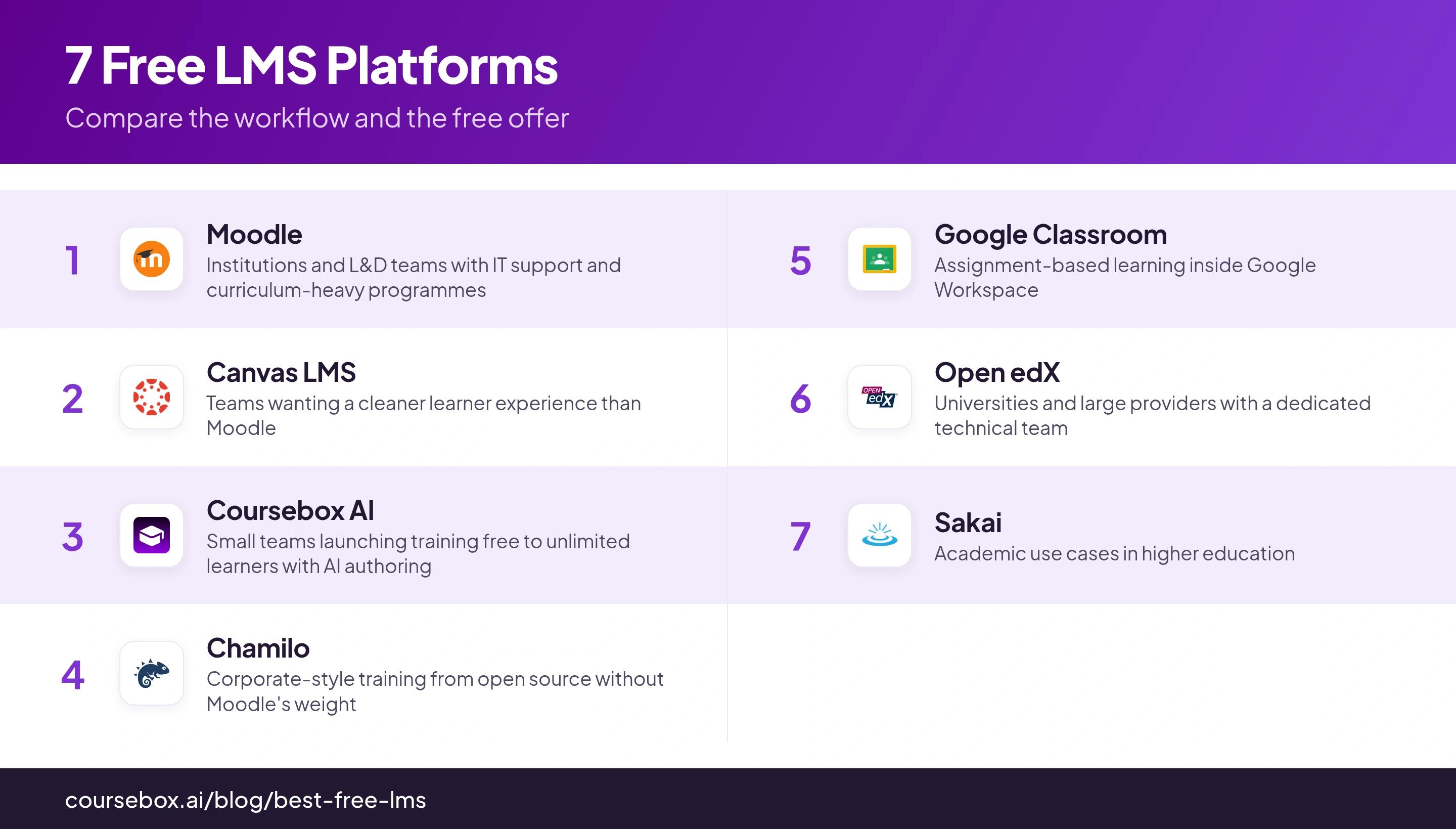
The 7 free LMS platforms
1. Moodle
Moodle is the capable free standard. It has run institutional training since 2002, and its quiz engine is one of the best at any price. The catch: "free" describes the licence, not the running of it.
Moodle LMS is open-source software with course activities, quizzes, gradebooks and SCORM support. Moodle Workplace is a separate commercial product; its features should not be counted as part of a free Moodle LMS installation.
Hosting, backups, updates, administration and support are the operating costs. Price them for your learner volume and maintenance capability rather than treating the licence fee as the whole budget.
The plugin ecosystem offers flexibility but adds maintenance decisions. Test peak quiz activity on your own hosting and upgrade process before a large rollout.
My testing notes: The quiz engine lives up to the hype. Where “free” bites is hosting: a full Moodle install requires more server access than cheap or free tiers include, so you'll likely end up paying more than expected just because of hosting. A lot of this cost is the time required by someone technical to set it up and maintain it.
Cost: No Moodle LMS licence fee. Budget for hosting, backups, upgrades, administration and any implementation or support. MoodleCloud and Moodle Workplace are separate offers.
2. Canvas LMS
Canvas has a noticeably better learner-facing interface than Moodle, and adoption usually follows.
The open-source Canvas LMS provides course, assignment and gradebook workflows. Products such as Canvas Studio, Catalog and institutional integrations have separate conditions; they are not automatically included in a free installation.
For individual teachers who want hosted access, Instructure now offers Canvas Lite. The older Free-for-Teacher offer has been discontinued. Compare Lite’s current feature scope with open-source Canvas LMS rather than treating them as the same deployment.
Self-hosting involves infrastructure and maintenance. Canvas Lite is a separate hosted free offer for individual teachers; a managed institutional Canvas deployment requires its own agreement.
My testing notes: The learner interface is the clear win over Moodle. The quiz logic caught me out, though: Canvas applies its late penalty after the “keep highest score” rule, so a student who redoes a quiz late as practice and scores higher can still end up marked down. Check your quiz rules before you trust them.
Cost: Open-source Canvas LMS has no software licence fee but requires hosting and maintenance. Canvas Lite is a separate free hosted offer for individual teachers; institutional services have separate terms.
3. Coursebox AI

I co-founded Coursebox; the free plan I can proudly say has a lot of value to it but I'll be transparent with you about what the limitations are and how it compares. L&D software typically charges customers a per learner fee which can get expensive very quickly. Our free plan does not cap learners at all which is pretty crazy when you think about it- we've really gone in the total opposite direction here to our competitors. We just heard so many leads and customers complaining about it while we were having to deal with the admin and technical burden of tracking all our customers' learner numbers, so we thought well it's not doing anyone any good really, let's get rid of it!
Coursebox Free includes three mini-courses of up to five pages each, unlimited learners and defined AI allowances. It connects authoring, delivery, assessment and learner support, with a Coursebox watermark on Free.
Point it at a PDF, video or URL, or just type in a simple prompt and it builds a structured course with quizzes, assessments, scenarios, interactive content and diagrams and an AI tutor in a few minutes. It's all inside an easy to use course editor which comes as part of the free plan. A week of manual work compresses into an afternoon and it's super easy to change too.
The learner allowance is useful when you want to share a short programme broadly. Course length and AI capacity are the limits to inspect first. More courses, branding, LMS administration and integrations belong to the relevant paid plan.
My testing notes: From the founder’s side, the useful free-plan test is whether you can create and share a complete short learning activity. I would check the generated lesson, question and learner experience together, then budget for the capacity or branding the next programme needs.
Cost: Free includes three mini-courses of up to five pages each, unlimited learners and defined AI allowances, with a Coursebox watermark. Paid plans expand capacity and remove the watermark; branded LMS, exports and integrations depend on the selected plan.
4. Chamilo
Chamilo is an open-source LMS for organising courses, learning paths, assessments and learner progress. I would compare it when a team wants a focused training workflow and can maintain its own installation.
SCORM, quizzes, certificates, a course catalogue, completion reporting and built-in multi-language, all open-source. It covers compliance basics like prerequisites, certificate expiry and group reports without extra plugins.
The software licence is free. Hosting, maintenance, support and any specialist implementation still need a budget; obtain comparable quotes before assuming it costs less than another open-source deployment.
Smaller plugin ecosystem and community than Moodle, and thinner English docs, since its base is strongest in French and Spanish markets.
My testing notes: A SCORM import in my setup failed after an upload appeared to succeed. I would retest the package, filename and server logs on the version being deployed. That is a useful acceptance test, rather than proof that every current installation has the same fault.
Cost: Open-source licence without a software fee. Hosting, implementation, updates and support are separate operating costs.
5. Google Classroom
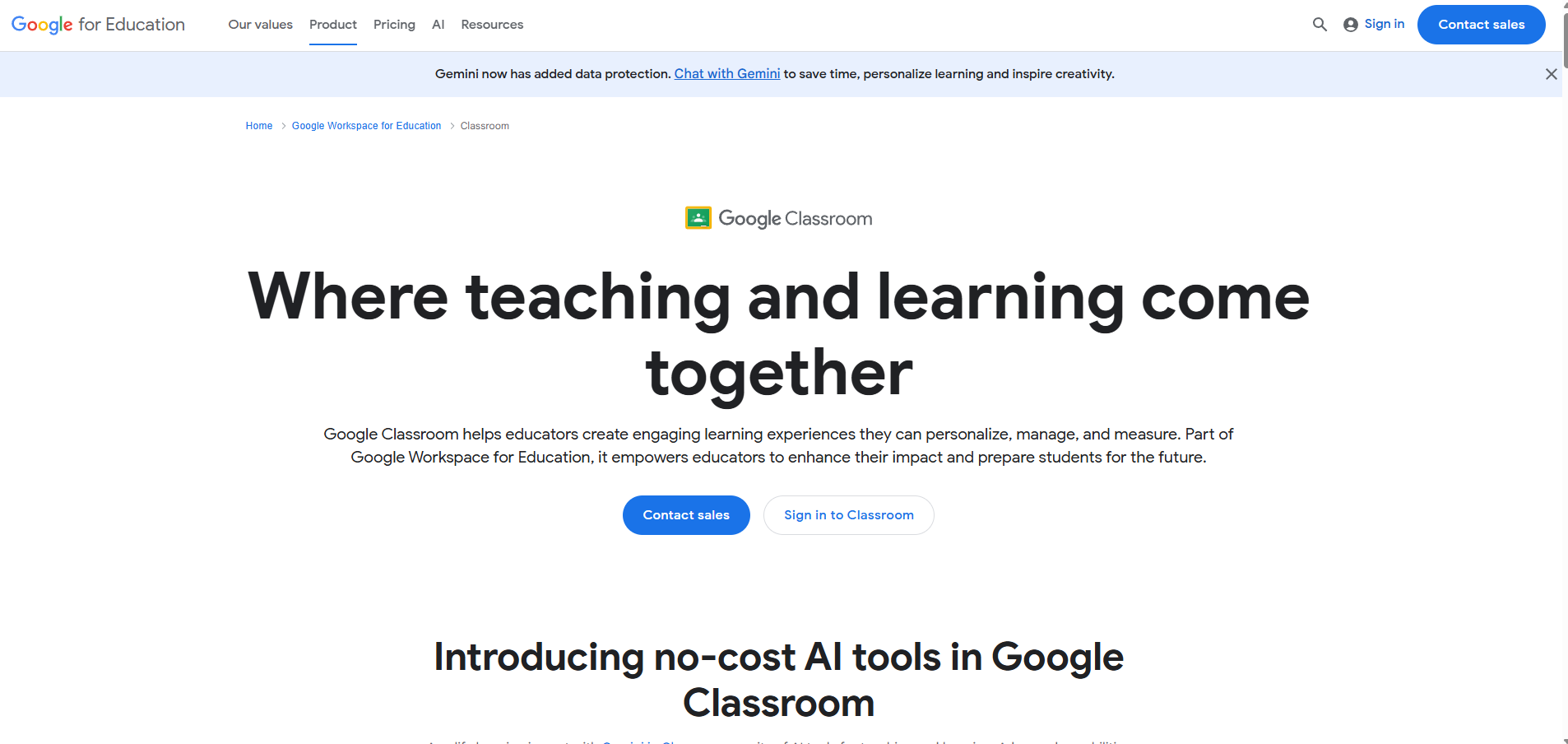
Classroom is free through Google Workspace for Education, and honest about what it is: an assignment and discussion tool, not a full LMS.
Assignment distribution, quizzes via Google Forms with auto-grading, points and explanations, feedback and class communication, all in familiar Google interfaces. An educator can set it up in an afternoon.
It suits assignments, feedback and class communication. Packaged SCORM courses do not run natively, and a regulated training programme may need completion and certification records beyond this workflow.
My testing notes: For a Forms quiz, I would test the learner’s sign-in and save settings before delivery. Google Forms can save signed-in response drafts for 30 days, unless the creator disables it; changes made offline are not saved. A connection-drop test should reflect that actual configuration.
Cost: Free access depends on account and organisation eligibility. Workspace editions and add-ons have different features and charges; it is not a free SCORM host.
6. Open edX
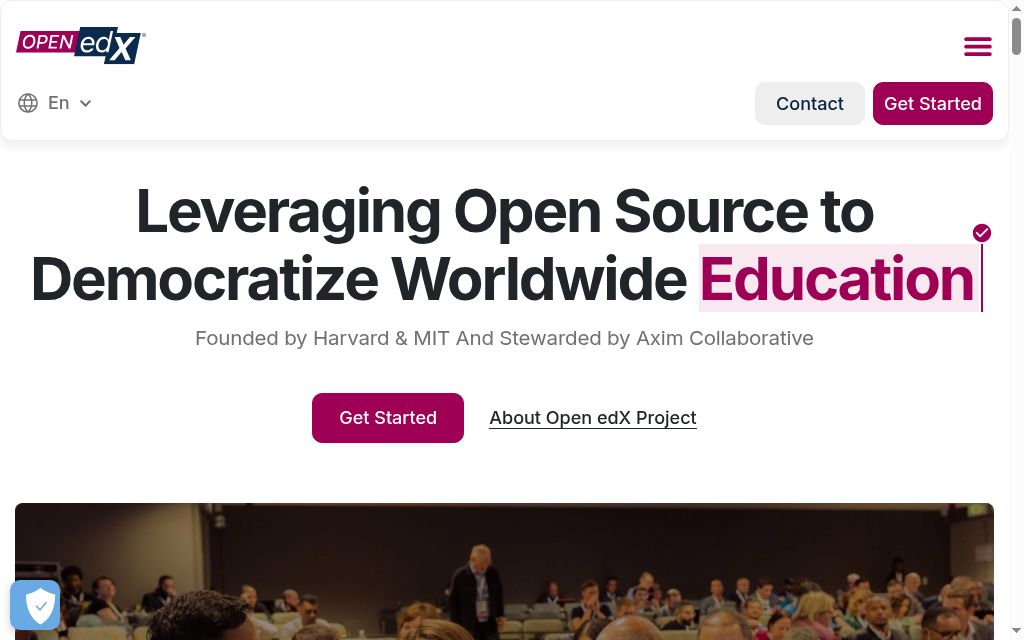
Open edX is designed for structured online courses at institutional scale. I would consider it when the learning experience and control justify an ongoing technical team, rather than as a quick way to avoid a subscription.
The open-source platform behind edX.org, maintained by the MIT and Harvard-founded Axim Collaborative: structured course flows, peer assessment, certificates and detailed analytics, with a learner experience refined for large open-enrollment courses.
Tutor simplifies deployment, but the team still owns container infrastructure, updates, backups and capacity. A successful local launch is the start of operating the platform.
My testing notes: I followed the Tutor deployment route. Preparing the server, DNS and Docker took more attention than the launch command itself. I would verify the current resource requirements and rehearse backup and upgrade procedures before enrolling learners.
Cost: No platform licence fee. Budget for infrastructure, deployment, upgrades, monitoring and technical support, or obtain a managed-service quote.
7. Sakai
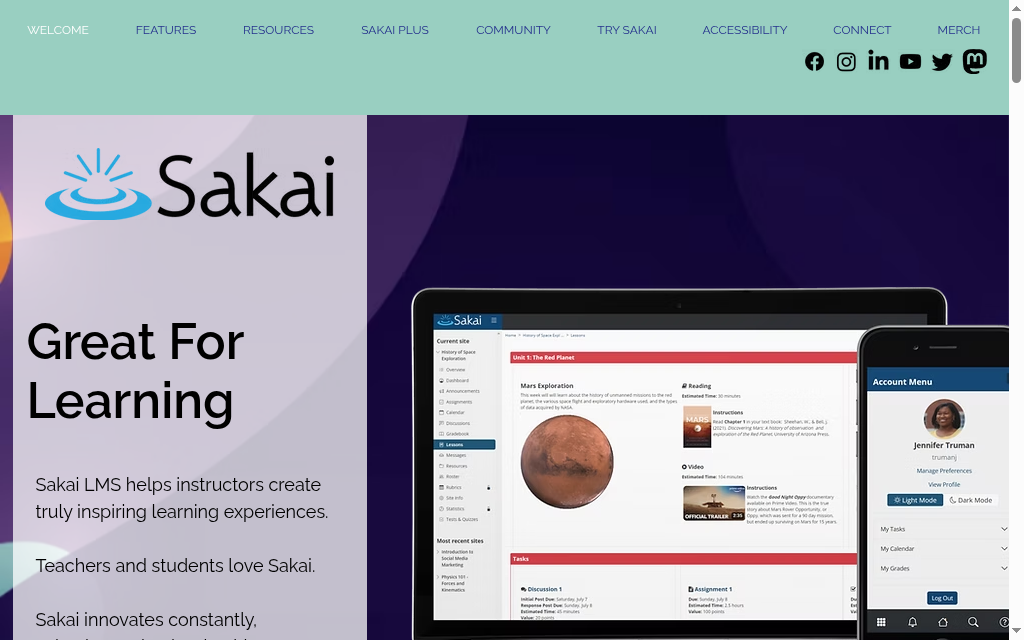
Sakai, maintained by the Apereo Foundation and born from a university consortium of Indiana, MIT, Stanford and Michigan, is the most academic platform here.
Its academic workflow combines a gradebook, assignments, assessment and collaboration. Check the current release and tools against the faculty processes you need, including how work is marked and results are retained.
The open-source licence is free. Compare self-hosting with a managed-service quote, including implementation, upgrades, support and integrations.
The academic structure fits terms, rosters and faculty workflows. A corporate team should demonstrate enrolment, recurring training and reporting before adapting that structure.
My testing notes: Grading is where it drags. Sakai spins up a separate grading form for every student on every assignment, so marking a whole class is slower than the same job in Canvas, one more sign it suits academic rhythms more than fast turnaround.
Cost: No open-source licence fee. Hosting, implementation, administration, integrations and support remain separate costs.
Quick Recap
| Platform | Hosting | SCORM | AI authoring |
|---|---|---|---|
| Moodle | Self-host | Yes | No |
| Canvas LMS | Self-host | Deployment/integration dependent | No |
| Coursebox AI | Hosted cloud | Export on paid plan | Yes |
| Chamilo | Self-host | Yes | No |
| Google Classroom | Cloud (Google) | No | No |
| Open edX | Self-host or cloud | Extension dependent | No |
| Sakai | Self-host | Integration dependent | No |
What I would actually pick
In Gallup’s 2025 development research, 45% of US employees had taken job-related skills training in 2024, while 41% named time away from responsibilities as their top learning obstacle. A free platform still needs an accessible programme and time to use it. I would test that with a short activity before investing in a large library.
For an institution or training provider with real IT support and an appetite for heavy LMS customisation, I would pick Moodle. The zero-licence argument holds when you have the infrastructure to realise it, and the operating costs are a manageable line against a commercial LMS as long as you also have resources for set up and maintenance of the LMS.
For a team that wants hosted training without server administration, I would try Coursebox Free with a short programme. It includes three mini-courses, unlimited learners and AI allowances, with a watermark. Check course size and generation capacity before planning a larger rollout.
For educators already using Google Workspace, Classroom fits assignment-based learning and feedback. Check eligibility, administration and the assessment record you need before treating it as a workplace LMS.
Canvas LMS, Chamilo, Open edX and Sakai have open-source routes without a software licence fee. Hosting and maintenance still need an owner and budget.
Disclosure: Coursebox is the AI training platform I co-founded with Travis Clapp. It is included for hosted creation and delivery; the open-source options offer different deployment and customisation choices.
Frequently Asked Questions
A hosted free plan can have no subscription charge while limiting courses, storage or AI use. Open-source software can have no licence fee while still requiring hosting, updates and administration. Compare the whole cost for the programme you intend to run.
Coursebox is a hosted starting point for creating and delivering a short programme, with three mini-courses, unlimited learners, AI allowances and a watermark. Moodle is worth comparing when technical support and customisation are available. Classroom fits assignment-based education.
Some hosted offers limit learners; others limit courses, storage or features. Coursebox Free includes unlimited learners with mini-course and AI limits. Open-source platforms depend on the capacity of the deployment you operate. A cap does not by itself make a continuing free plan a trial.
Moodle and Chamilo provide SCORM routes. Canvas, Open edX and Sakai depend on the deployment, integration or extension used; do not assume a paid hosted integration is included in a free installation. Google Classroom does not natively run SCORM packages. Test a real package and its completion record.
The current Free plan is a continuing offer rather than a time-limited trial. It includes three mini-courses of up to five pages each, unlimited learners, AI allowances and a watermark. Paid plans expand capacity and remove the watermark, with LMS branding and integrations depending on the plan.
Alex Hey
Alex Hey is a technical marketer with 10 years of hands-on growth and digital marketing experience. He cofounded Coursebox together with Travis Clapp who he met online when looking for a cofounder to build a globally impactful software product. He works in the Perth, Western Australia office as the COO. He built the world's first automated funnel for patient recruitment before building Coursebox. After launching Coursebox in mid 2023, he drove +400k organic sign ups for Coursebox. Alex leads the marketing and digital growth of Coursebox and works with the product development team bringing a passion for data-driven product decision and exceptional user experience. Alex is determined to build the world's easiest way to build the perfect course.

